
Digital Removal Of Protective Grills from Stained Glass Windows
"Can you digitally remove protective grills from a stained glass window with 3D?" This was the question from an architect that caused me to do a few experiments.
Turns out yes you can!
I first tried this out on another window at the same church, St Mary's Limpley Stoke. (click here). I thought I should make this an article so I can address the questions and comments from the previous post in one place, and show a new before/after example.
Why and How?
I will put all the technical information in the lower section, this section should answer most higher level questions.
What is this method?
It's called Gaussian Splatting. Instead of traditional mesh photogrammetry, this software creates millions of 3d paint-stroke-like objects that form together.
The model is created from hundreds of real photographs and is not an AI render.
In a lot of cases, this means finer detail and light is rendered in a more photo-realistic way compared to mesh, at the expense of a solid geometric model that is measurable.
Mesh will still be better for many other uses, but glass and light are one of Gaussian Splatting's most significant benefits.
Why make a 3D model of a flat 2D glass pane?
I don't think stained glass windows are 2D!
The appearance changes as you move and colours brighten and darken as the light shines through the different segments. There is also the 3D nature of the lead and stonework.
A 'normal' high res photograph would still be a great way to capture these windows, and is probably the best method most of the time.
Why not just remove it in real life?
It could be much easier to physically remove the wire protection, but sometimes it isn't that simple.
Not every screen can be removed that easily, nearly all of the grills I have looked at over the past few days are either attached with rusted screws or are mortared into the stone directly with ties.
If you want to capture these objects casually, without involving other works/people, this could be a viable method. If you can remove the wire mesh, then great - that solves a lot of issues!
What does the window look like from the inside?
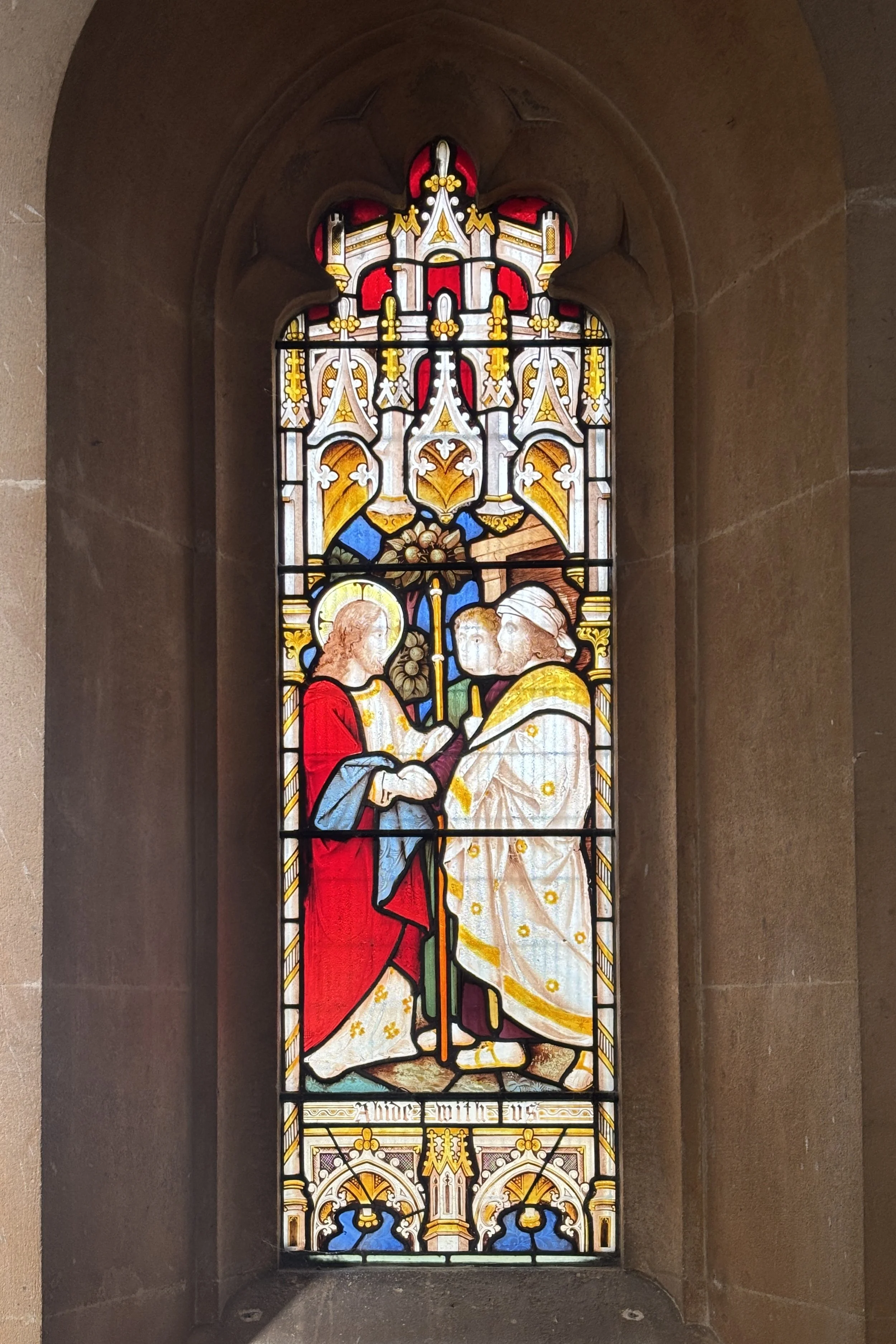
Like this! (iPhone photo)
What Are The Downsides?
To see behind the wire, you need to take lots of images from a very slightly different angle (up/down and side to side) to ensure you have enough parallax so none of the glass is masked by the mesh.
Reflections of the mesh are still present and using a polarising filter only reduces them slightly. To get less reflections I would need to set up a large black background behind the camera. This would be possible but would add to setup time and complexity.
Although Gaussian Splatting is able to render the light through the window and recreate very fine details, it can suffer from 'floaters'. These are Gaussians that haven't been attached to a surface correctly. Mesh models can have other artifacts as well, but floaters are a specific issue here.
A mesh model would be more geometrically correct, but you would lose the change in light as the camera moves across the glass. Separate mesh models can also be merged, so you could have both sides of the window in one model.
Final Thoughts
There's always going to be someone who says just take the wire grill off. And they're right, sometimes that is the easier option.
In all professions, I believe you never stop learning by trying things out. Even if the simpler solution exists, pushing a technique to see what's possible is how you stay ahead of the work and keep fresh. When a project comes along where physical removal genuinely isn't an option, you already know the answer and best ways forward instead of guessing.
It's also just cool to watch the before/after! Here is the video again.
I'll be posting more like this, including final results from projects in my newsletter, so if this interests you - please consider subscribing - https://lnkd.in/dzsyHSb9
Technical Info & Questions
What camera and setup did you use?
I used a Fuji GFX 100ii and the GF 30mm T/S lens, mounted on a motorised slider. It took 25 images over 60cm, this was then raised up in stages and tilted up / down. Ideally I would use a 35mm camera for lighter weight and more depth of field at the same aperture.
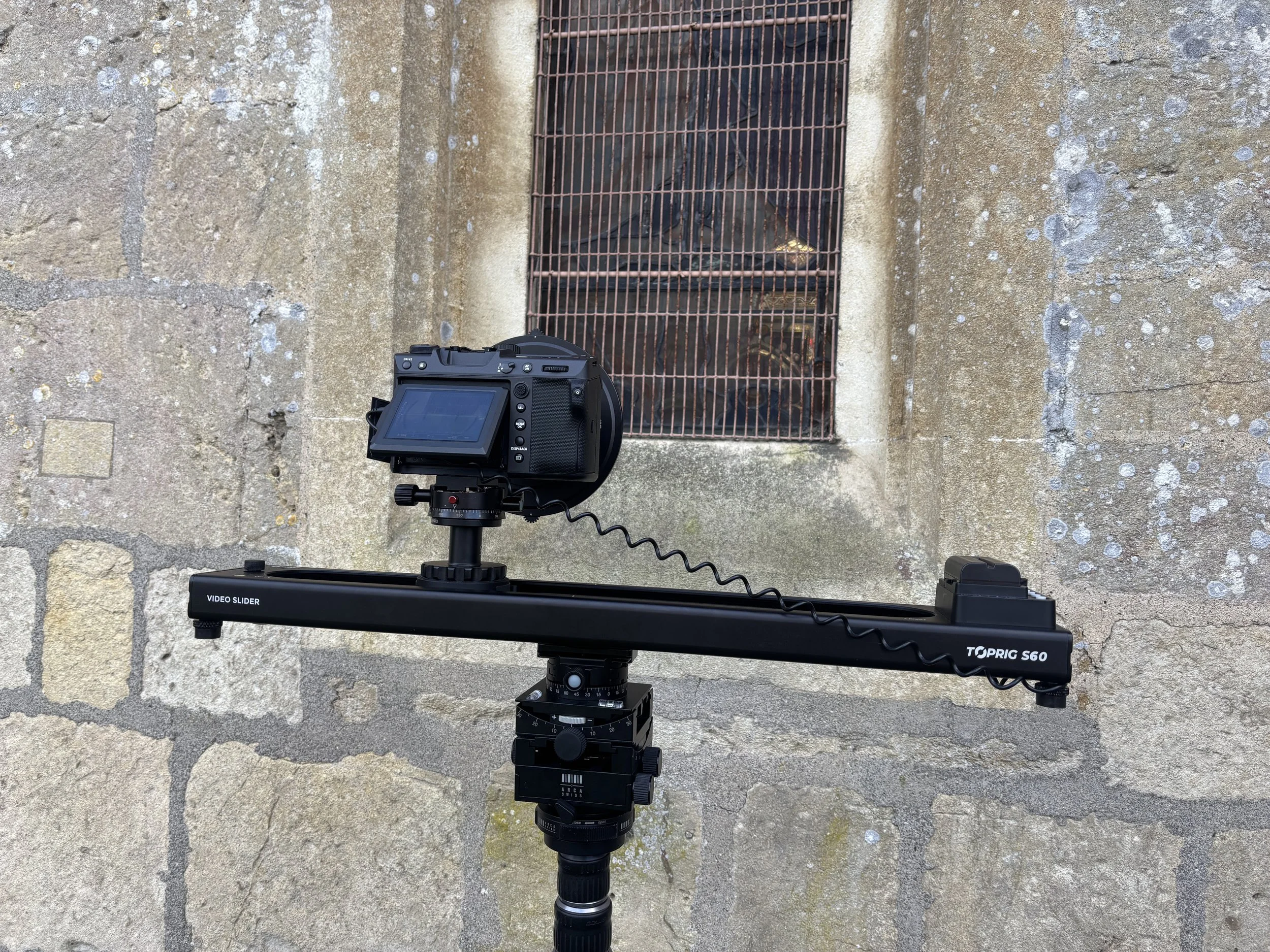
How many images, what software?
456 images at 100mp.
Basic adjustments in lightroom
Alignment in RealityScan
Training in Postshot
Wire removal and animation in SuperSplat Editor.
20 Million Gaussians was the set limit, but after the deletion of the wire it is now around 15M.
What PC do you have?
i9 14900K CPU
RTX 5090 32GB GPU
128GB RAM
Have I tried a mesh/photogrammetry model?
Yes. Both RealityScan and Metashape crash every single time. I am sending in logs to get this fixed.
Like what you see?
Subscribe to this newsletter on LinkedIn for updates and similar posts on Architecture, 3D & Photography on LinkedIn https://www.linkedin.com/build-relation/newsletter-follow?entityUrn=7407083189870940160
