
Photogrammetry
3D models for AECO, inspection, heritage & more
Document site conditions, inspect, inform design and coordination
-

Accurate geometry
A photogrammetry mesh captures the building as real, scaled geometry you can measure and work from, with exports for CAD and BIM.
-

Explore and measure
Orbit the model, take measurements, view conditions, place annotations, and generate reports.
-

Works with your setup
Host on the web, keep it on your intranet, or run the model offline for secure environments, trade shows and presentations.
Inspect, measure & review assets
An accurate, scaled 3D model of your building, site or asset that your team can measure and work from directly on your computer.
Inspect detailed or hard-to-reach areas up close, take measurements, and compare conditions over time across multiple models. For renovation, extensions, or simply for inspection, a 3D model can be invaluable. For non metric recording, see our Gaussian Splatting page.
Heritage at risk & HEAG317
Document listed and at-risk sites for repair, review, or simply as a lasting digital record.
Produced with reference to Historic England's HEAG317, the specification for metric survey of cultural heritage, so you hold accurate, scaled geometry of the building as it stands today.
Digital intervention and restoration
Non-destructive changes to sensitive structures.
Because a mesh is editable geometry, elements can be digitally removed or altered, such as lifting a protective grille off a window to show what sits behind it. Present a repair, a removal or a proposed change as a clear before and after, before any physical work begins.
Object, model & monument capture
Scan individual objects, sculpture, artefacts or specific parts of a building such as gargoyles, carvings and engravings.
Working close-range on a turntable or mobile rig, we record fine surface detail and true colour, producing a precise 3D record for documentation, study, conservation or display. Objects can be brought to us, or captured on site where they cannot be moved.
How we capture
-
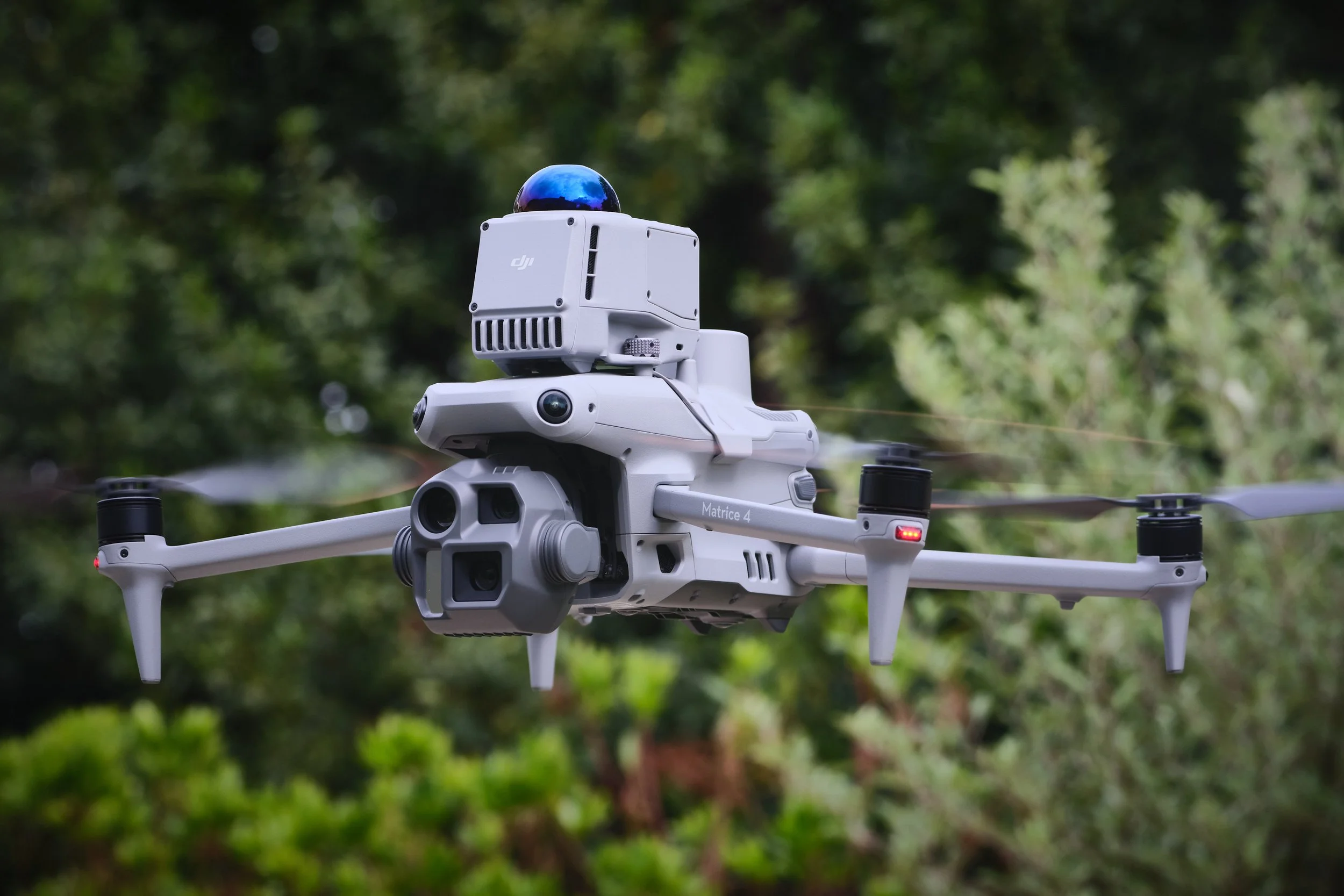
Aerial 3D capture
We use enterprise drones with RTK (real-time kinematic) correction, advanced mapping and autonomous flight modes with dense flight patterns to enable the most efficient and detailed capture with millimetre level GSD (ground sample distance) resolution. These images are then processed into accurate and measurable 3D mesh models, 2D maps or other data such as a digital terrain model (DTM). Combine with ground capture for internal and full coverage.
-
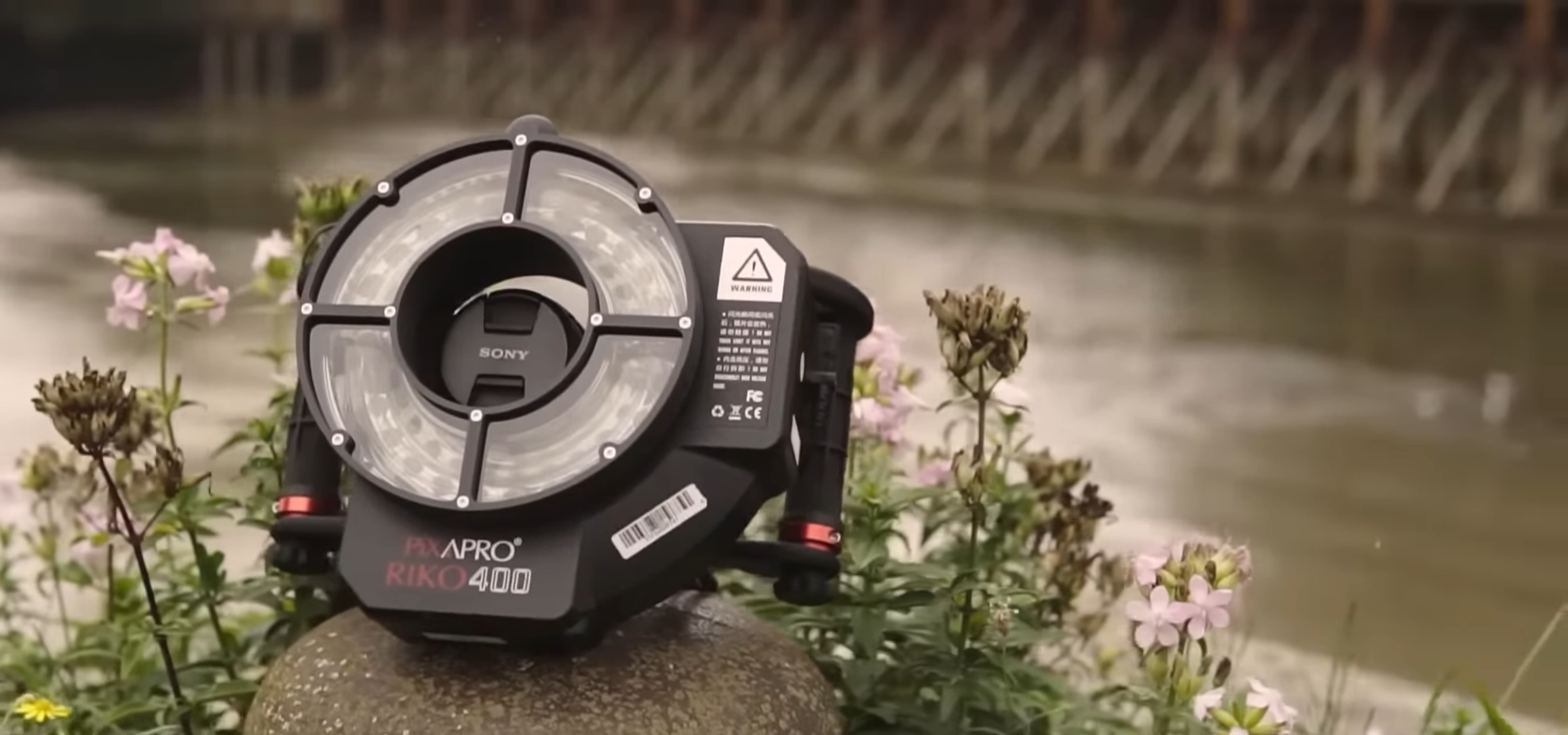
Ground 3D capture
For ultra high resolution detail, objects, interiors and areas a drone cannot reach, we capture images on medium-format cameras and other systems. We use specialist techniques such as cross-polarisation and de-lighting to ensure the capture is colour accurate and not affected by external lighting or reflections. From turntable setups for smaller objects, to specialised rigs to capture on site features and larger areas. Combine with aerial datasets for complete coverage.
Where photogrammetry excels
-
Measurement & accuracy
Dimensionally accurate geometry that can be measured, scaled, and verified against real-world dimensions. Essential for surveys, planning, and design.
-

CAD & BIM integration
Export directly to design and construction software. Mesh models, point clouds and other data can slot into existing workflows.
-

Construction progress
Capture site conditions at key milestones with measurable data. Compare phases, verify quantities, and feed into project management tools.
-
Archival & compliance
Create a permanent geometric record for heritage documentation, insurance, condition surveys, or regulatory sign-off.